Workflow Breakdown
HORIZON VIEW supports a variety of business processes that can be automated. These processes can be broken down into multiple workflows to help fulfill your use cases. As seen in the diagram below, four workflows are created using HORIZON VIEW to achieve company A’s use case.
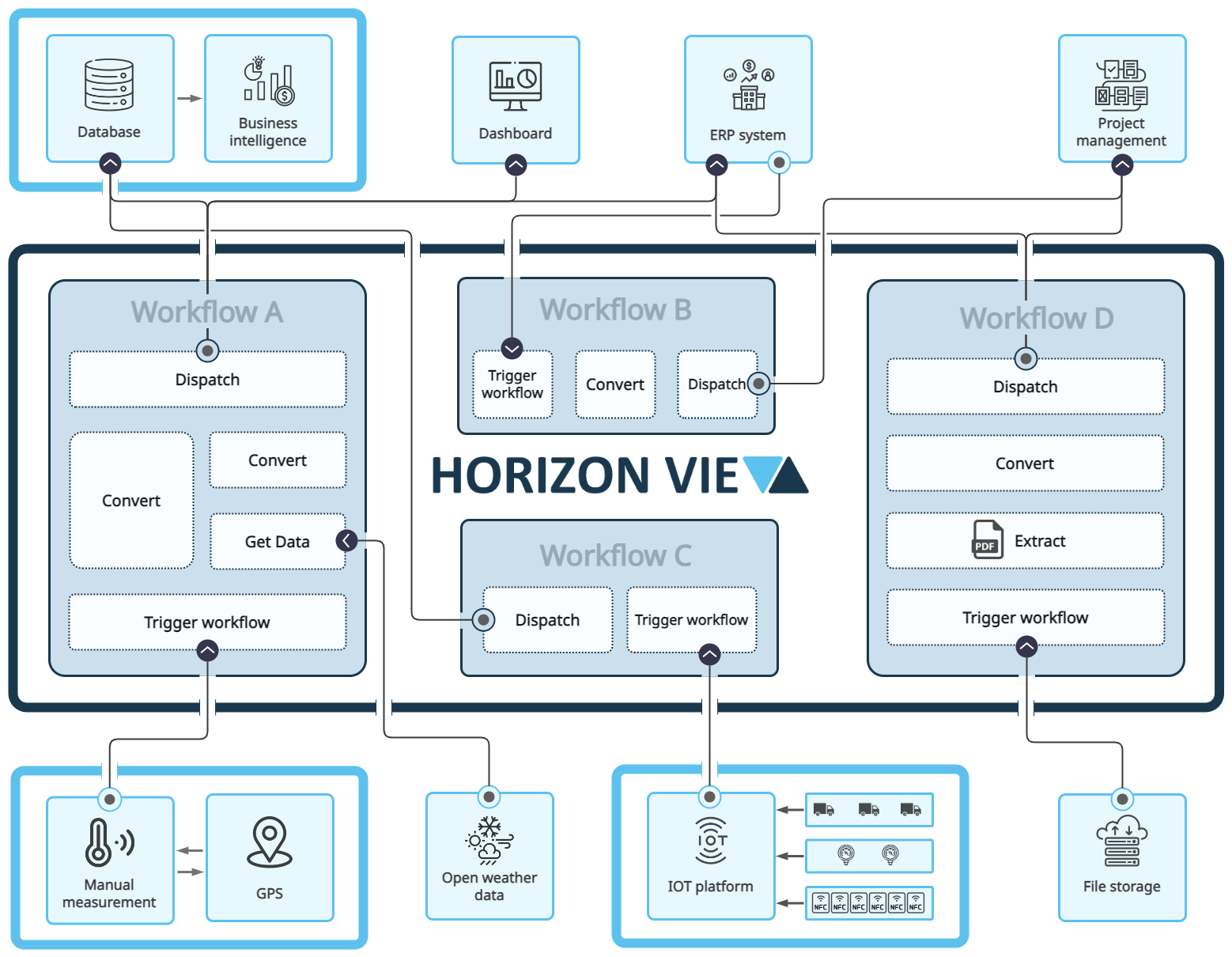
Company A’s use case consists of retrieving data from various sources such as IOT data, files, etc. All the data from the different data sources are then extracted and/or converted. After this process, the data is ready to be dispatched to its final destination. The data can be sent to various destinations including but not limited to databases, ERP systems, file storages, etc.
Workflow A: This workflow is triggered manually by a device measuring a data point. Once the workflow is triggered, the workflow retrieves additional data from open data sources (i.e. Open weather data). The device data and the additional data retrieved are then converted to fit into the destination data structure. The data is dispatched to a database where BI gathers it’s data. The data is also dispatched to an ERP system and a project management system.
Workflow B: This workflow is triggered after an entry has been made in an ERP system. In this case, the entry was produced by workflow A, which then triggered workflow B to start. The data retrieved is then converted into the destination data structure. The converted data is then dispatched to a project management system.
Workflow C: This workflow is triggered by a timer to retrieve data from an IOT platform. The data is dispatched immediately to a database where BI gathers it’s data.
Workflow D: This workflow is triggered by gathering a PDF file from a file storage. The required PDF data is extracted and converted into the destination data structure. The converted data is dispatched to an ERP system and project management system.